 WOW Legends
The requirements page tells you what we recommend. This page shows what's actually out there: real owners' machines with the numbers they measured themselves — a 2013 laptop, a mini PC, a budget VPS — alongside our own test rig for comparison. Community rows are their figures, not ours, each published with explicit permission and credited the way they asked.
The repack ships at 100 bots — every machine below runs far more by choice.
The number to watch on your own box is Update time diff in the worldserver log: under ~50 ms feels instant,
a few hundred is playable, seconds means turn the bot count down.
| Machine | CPU | RAM | AI bots | World update | Whose |
|---|---|---|---|---|---|
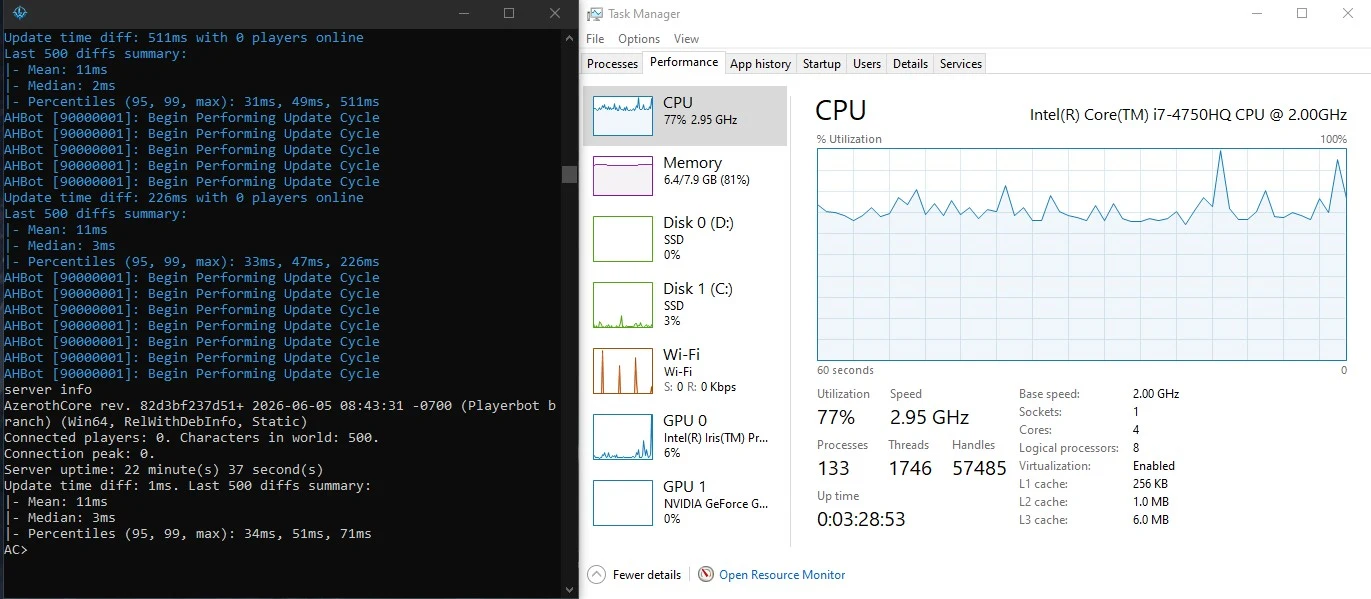
| 2013 Asus laptop Registration portal on the same machine; friends playing over the internet through opened ports | Intel i7-4750HQ @ 2.0 GHz (4c/8t) | 8 GB | 500 | median 2–3 ms · p95 31–34 ms ~60% CPU · 3.3 GB | Hikavelop |
| Beelink mini PC Plays with a friend over LAN at 8 ms — over 2.4 GHz wireless, no cable needed | AMD Ryzen AI 9 HX 370 | 32 GB | 2,500 | well under 50 ms | longasleep |
| Budget VPS (Contabo) Month-long field test in progress ("Pure Pain": 0.25× XP, low RAM — the worst-case scenario on purpose) | 6 vCPU, AMD EPYC 7282 @ 2.8 GHz (shared) | 12 GB | 1,000 | 200–220 ms — plays normally | longasleep |
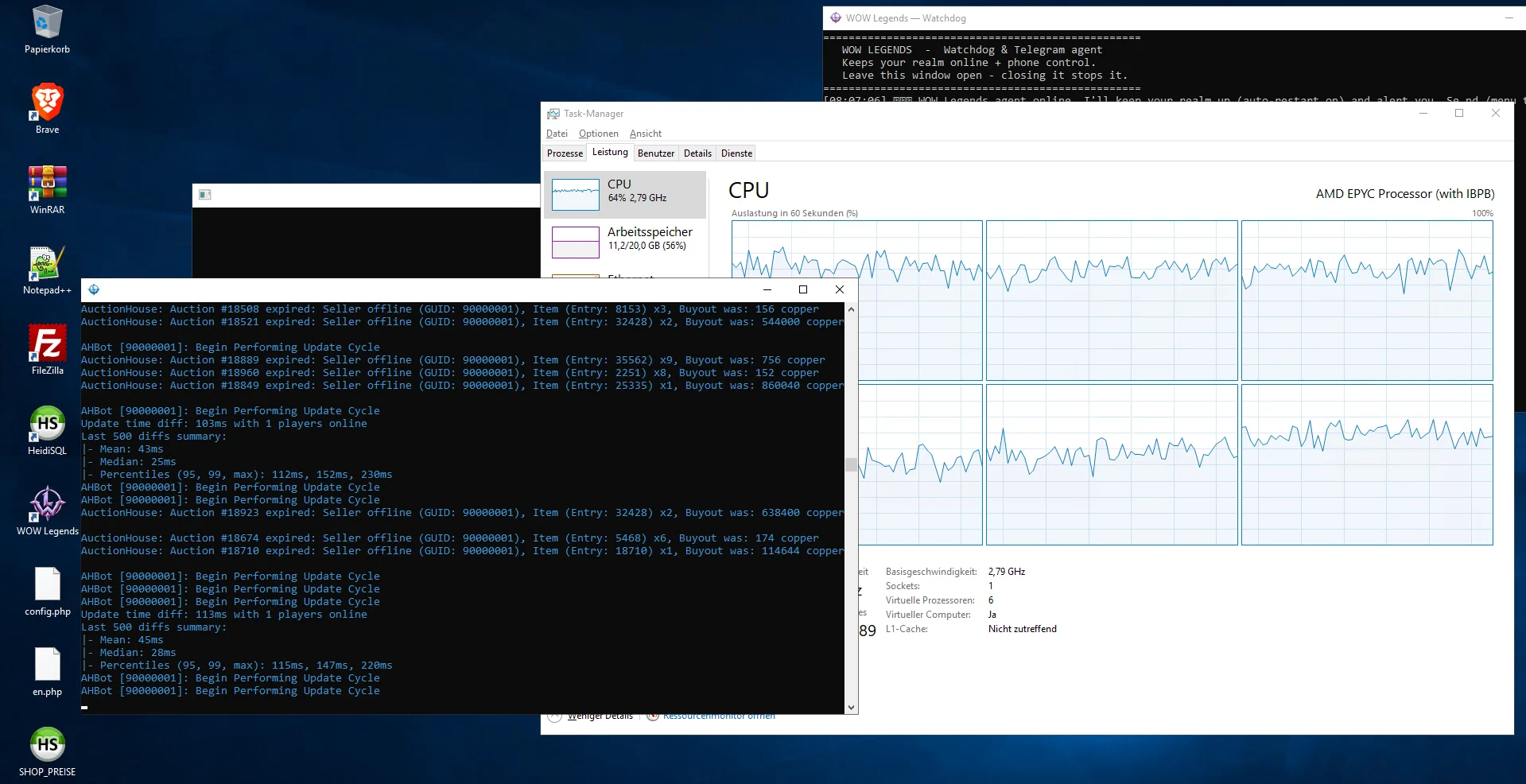
| Budget KVM VPS (~€19/mo) Windows Server 2019; battlegrounds, a raid test and instances included — no recurring spikes | 6 vCPU, AMD EPYC 7543 @ 2.79 GHz | 20 GB | 2,250 | median 27–31 ms · p95 ~120 ms 60–78% CPU · 11–13 GB | StretchtGorilla |
| Proxmox VM (Windows Server 2019) Three measured points on one box in a single evening — the clearest scaling curve on this page | 8 vCPU on Intel Xeon E5-2690 v4 @ 2.6 GHz (2016 Broadwell) | 64 GB | 2,000–2,500 (ceiling found at 3,000) | 923 bots: median 13 ms · 2,143: median 32 ms · 2,997: median 169 ms | oldmandanky |
| Our live demo realm The permanent public realm at play.wow-legends.eu | AMD Ryzen 5 3600X (6c/12t) | 64 GB | 2,500 | 23 ms — feels instant | us (test rig) |
| Lab test — same desktop Every zone populated, a real player online, questing and grouping | AMD Ryzen 5 3600X (6c/12t) | 64 GB | 10,000 | smooth (tick not measured) ~32% CPU · 13.8 GB | us (test rig) |
| Lab test — 14 GB VM World Events running; the basis for the profile table on the requirements page | AMD Ryzen 5 3600X (6c/12t) | 14 GB (VM) | 4,982 | — ~64% CPU · 9 GB | us (test rig) |
| Stress ceiling — not a recommendation Runs and stays stable, but not a setting you'd play on — the full honest writeup is on the requirements page | AMD Ryzen 5 3600X (6c/12t) | 64 GB | 19,501 | 0.4 s empty · 2–3 s in a packed zone 33% CPU · ~20 GB | us (test rig) |
Full lab writeups — the 10,000-bot run, the 14 GB VM and the honest 20,000-bot stress test — live on the requirements page.
A laptop chip from 2013 holding 500 bots at a 2–3 ms median world update — with the registration portal running alongside and real friends playing through opened ports. If you've been assuming your machine isn't enough: it probably is.
“Best repack I have ever played and super easy to set up.” — Hikavelop
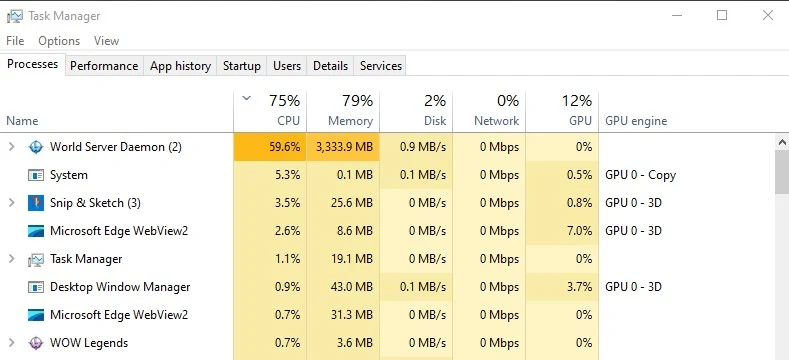
A mini PC quietly running 2,500 AI bots with the world update well under 50 ms — and LAN play with a friend at 8 ms over 2.4 GHz wireless. No tower, no server rack, no cable.
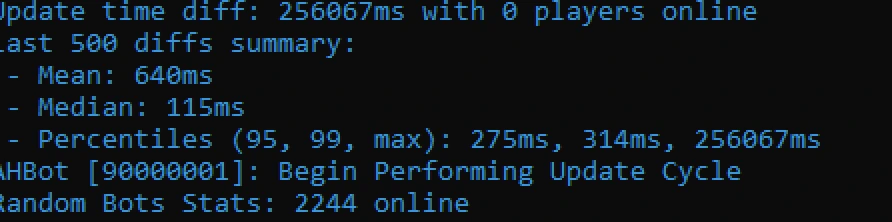
The most useful VPS test anyone has run for us, because only ONE variable changed: same 12 GB, same 6 vCPU — on the provider's cheapest tier (heavily shared CPU) even 500 bots was unplayable, with multi-second spikes every few seconds. One tier up (better CPU guarantee, identical specs on paper): 1,000 bots at a 200–220 ms world update, playing normally. For a bot realm the spec sheet isn't the story — whether the cores are actually yours is.
The most disciplined benchmark on this page: full percentiles, a worst-case window (mean 85 ms during raid/BG load) and the recovery right after it (straight back to a 31 ms median). 2,250 bots fully active through levelling, battlegrounds, a raid test and AHBot cycles — on a ~€19/month box. His own conclusion holds on the numbers: RAM isn't the ceiling (11–13 of 20 GB), the CPU is. And note the contrast with the other VPS above: both 6 vCores at ~2.8 GHz on paper, wildly different results — CPU generation and host overselling both matter, and neither is on the spec sheet.
“Real Playerbot performance says more than advertised RAM or vCore count.” — StretchtGorilla
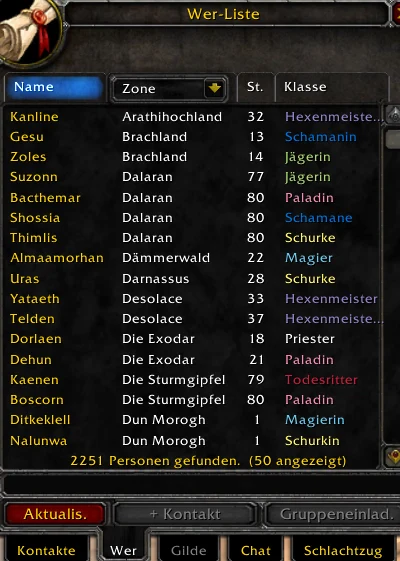
The most useful thing anyone has measured for us: the same machine at three bot counts, in one evening. 923 bots — mean 51 ms, median 13. 2,143 — mean 80, median 32. 2,997 — mean 169, median 169. That last pair is the tell: when the median catches up with the mean the server has stopped being idle between ticks and is working continuously, so the practical ceiling here sits around 2,000–2,500.
The reason is the lesson. This box has 8 vCPU and 64 GB — on paper far stronger than a desktop — but the host CPU is a 2016 Xeon at 2.6 GHz. A Ryzen 7 5700X on bare metal carries 5,000 bots at mean 73 ms. The world update leans on single-thread speed, so many slower cores lose to a few fast ones every time. RAM was never the limit: 64 GB, most of it idle.
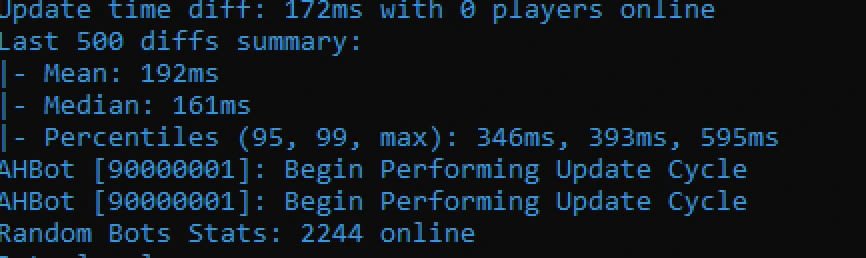
A later sample at 2,244 bots came in at mean 192 / median 161 — about 2.4× worse than his own 2,143-bot run — while other work was competing for the same cores. On a CPU of this generation that trade is real: heavy extras and a big bot population fight over one single-thread budget.
longasleep measured it: at 1,000 bots, MapUpdate.Threads set to 1, 3, 4 or 6 made no difference — and our
map updater's code agrees. It parallelises whole maps, never the work inside one, so with most bots on two continents the
tick can't finish faster than the busiest map — one thread's work. Buying for a bot realm? Highest single-core clock first;
core count second.
Two lessons from two real VPSes. Same provider, same specs, one tier apart: unplayable at 500 bots vs
1,000 running normally — the CPU guarantee did that. And across providers: two “6 vCore EPYC ~2.8 GHz”
boxes returned 1,000 bots at 200–220 ms vs 2,250 at a 27–31 ms median — CPU generation
and host overselling both matter, and neither is printed on the plan page. The only honest test is your own
Update time diff.
Post your specs, bot count and Update time diff (a screenshot
is even better) in #your-servers on our Discord — say how you'd like to be credited, and black out anything personal
(your server's IP especially). Boring machines especially welcome: they help newcomers most.