 WOW Legends
A short list that's true for every WOW Legends server, solo or full house. The App handles the runtimes for you.
Windows 10 / 11 or Windows Server — 64-bit.
A modern multi-core chip — 4 cores minimum. More cores = more bots: the bot AI runs across the world-update threads.
SSD strongly recommended — a spinning hard drive can stall the database under load. Roughly 25–40 GB freeapprox. for the server, game data and the pre-populated database.
MySQL 8.x and the Microsoft Visual C++ 2015–2022 x64 Redistributable. Installing by hand? You'll grab these once (bundled with the free repack). Using the App? It sets them up automatically.
WOW Legends ships at 100 bots and scales to thousands — you pick the number to match your hardware (AiPlayerbot.MinRandomBots / MaxRandomBots). RAM is the figure people ask about most: the Total RAM column is the whole picture (worldserver + MySQL ~1–2 GB + the OS). Find the row that matches the world you want to run.
| Profile | AI bots | CPU | Total RAM | Good for |
|---|---|---|---|---|
| Default ships at this | 100 | ~4 cores | 8 GB | Most modern PCs |
| Big realm | ~500–1,000 | 4–6 cores | 12–16 GB | A solid desktop or VPS |
| Living World BIG | ~3,000–10,000 | 6+ cores | 16+ GB | A busy, fully-populated world measured: ~13.8 GB for the server at 10,000 bots |
Every figure here is a setting you can tune — fewer bots means less RAM and CPU. Only the 10,000- and 4,982-bot runs below are measured; the rest is sensible guidance, and real load shifts with bot activity, how many players are online, and features like World PvP and World Events. Bot count is the biggest lever; an SSD mainly helps load times. Start at the default and scale up while watching Task Manager.
The table above is guidance; this is measured. Both runs on the same mid-range 6-core AMD Ryzen 5 3600X — no server-grade hardware anywhere.
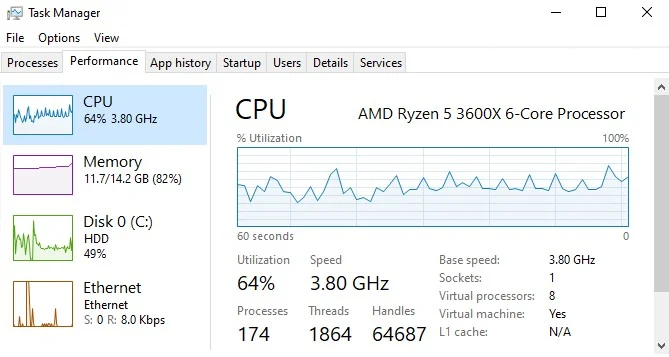
10,000 bots online at once — every zone populated, all levels, questing, grouping and chatting, with a real player online. The worldserver sat at ~32% CPU using ~13.8 GB RAM (6-core Ryzen 5 3600X, SSD). The in-game Who list counts 10,001 — the bots plus the one real player watching. World-update latency wasn't measured on this run — the 20k stress writeup below is where we published the tick story, warts and all.
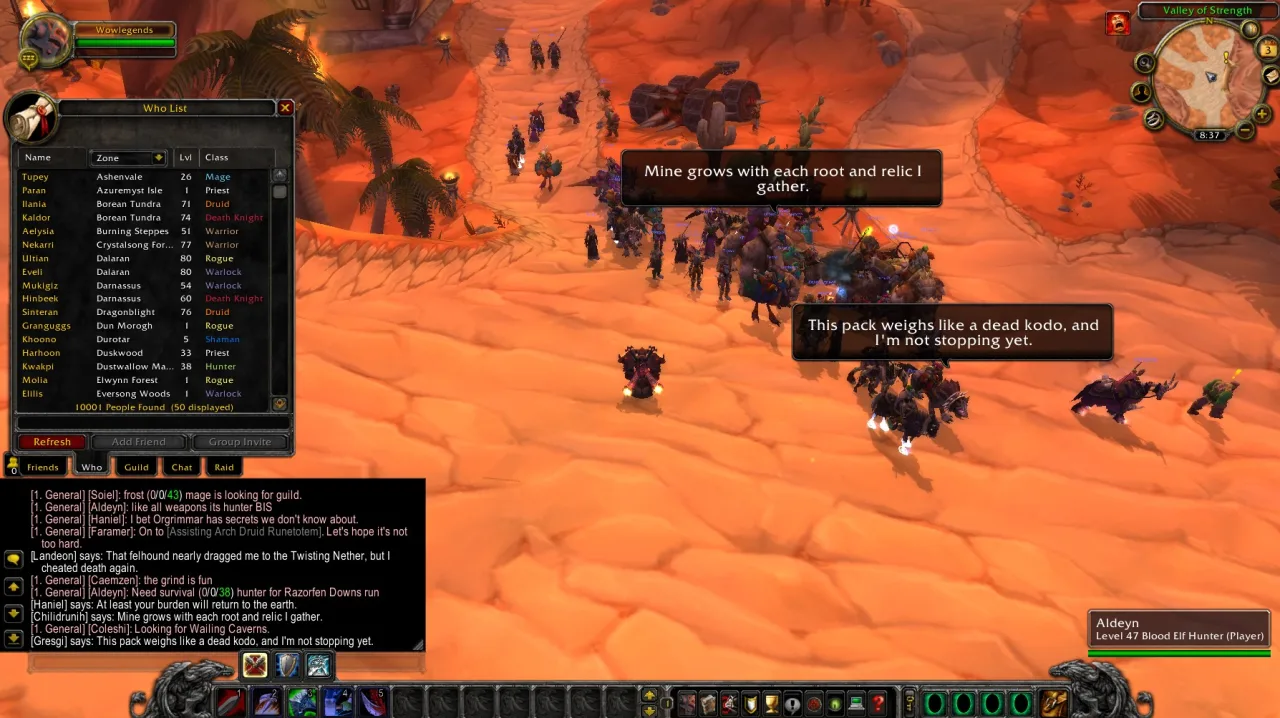
An earlier run in a tighter 14 GB VM on the same CPU: 4,982 bots with World Events on, the worldserver on about 9 GB RAM at ~64% CPU — the basis for the profile table above.
Don't take our rig's word for it. Real owners publish their own measurements with us: a 2013 laptop holding 500 bots at a 2–3 ms world update, a mini PC quietly running 2,500 bots, and two budget VPSes compared head-to-head — their machines, their figures, credited to them.
We pushed one desktop as far as it would go. Here's exactly what happened — the good and the limits. Same machine as the 10k test: AMD Ryzen 5 3600X (6 cores), 64 GB RAM, NVMe SSD. Every feature on. This sits above what we recommend — a stress ceiling, not a profile.
| What 20,000 bots looked like | |
|---|---|
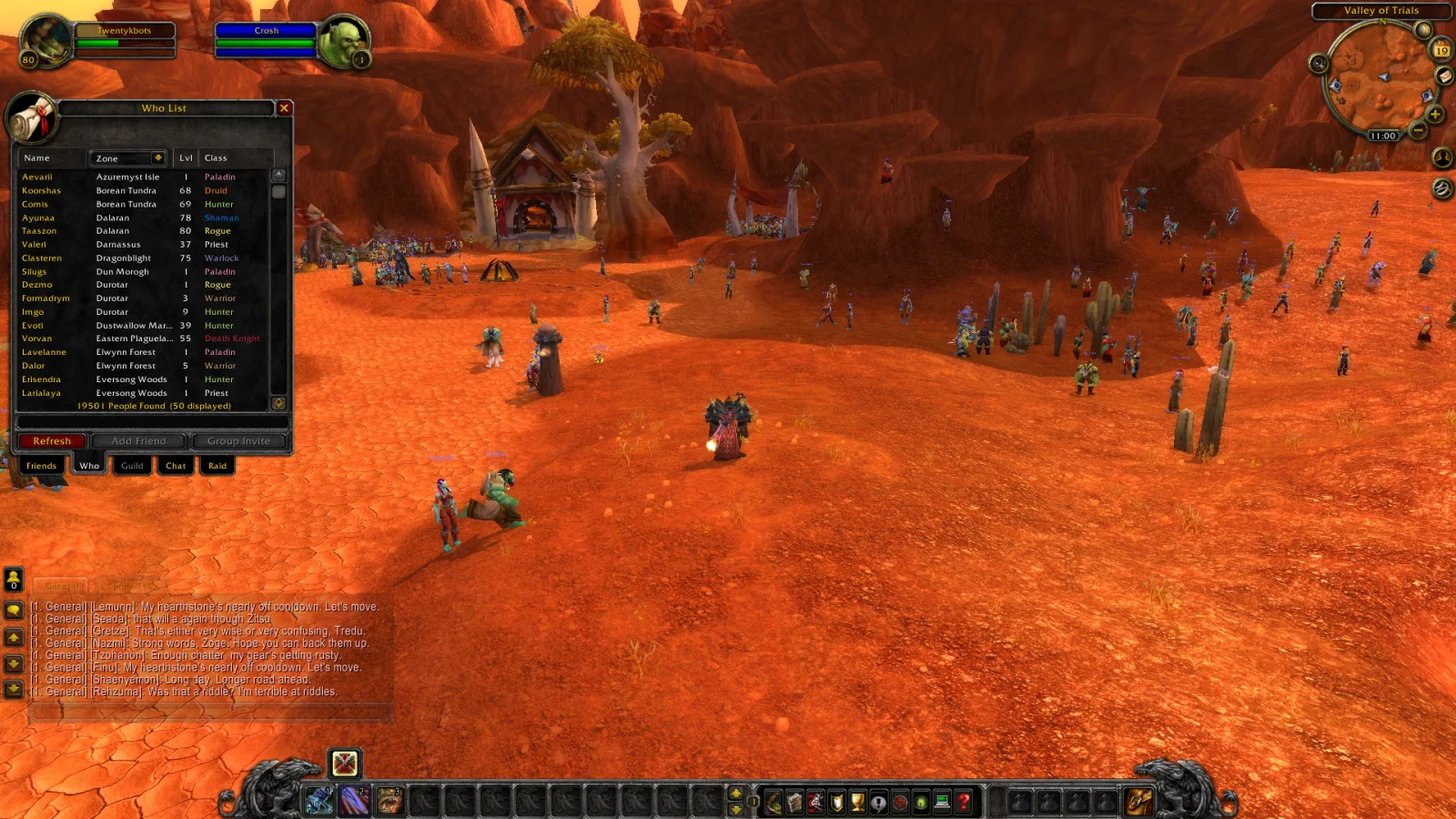
Bots online (verified in /who) | 19,501 |
| Cold start → all bots logged in | ~20 minutes |
| Worldserver RAM | ~20 GB (of 64) |
| Total system CPU | 33% |
| Free RAM | 32 GB |
| Crashes / leaks | none — held stable |
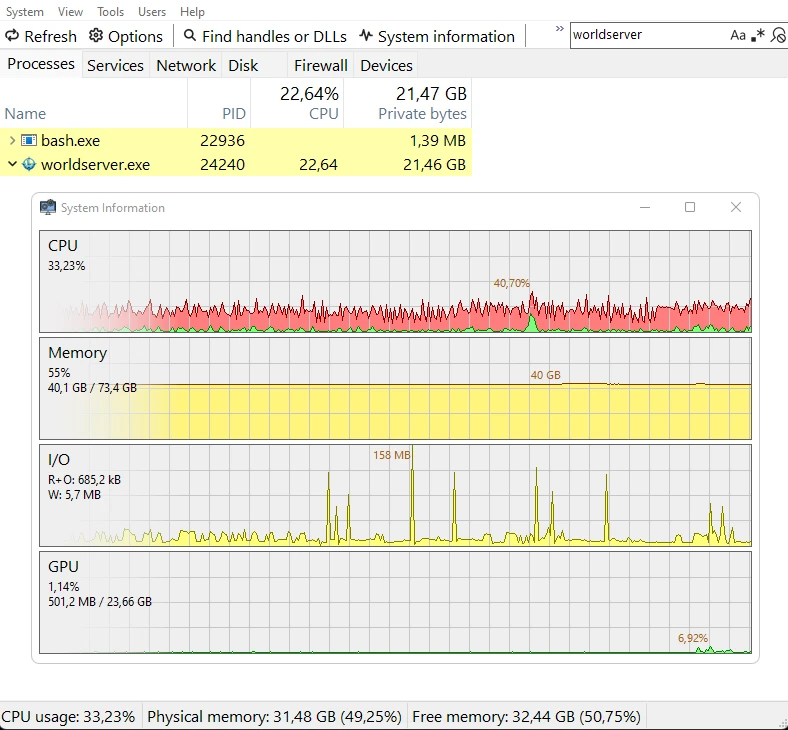
Short answer: it runs, it's stable, but it's not a setting you'd play on. The hardware wasn't the limit — a third of the CPU and half the RAM sat idle. The limit is the world tick: the server updates the whole world in one loop, and at ~19,500 active bots that loop takes long enough that your own actions answer with a delay.
| Bots | Feel |
|---|---|
| 2,500 (our live demo realm) | instant — 23 ms tick |
| ~10,000 | smooth — our earlier test on this same PC (~32% CPU, ~13.8 GB RAM) played fine |
| ~19,500, open terrain | playable but combat feels slightly off (~0.5 s) |
| ~19,500, in a bot-packed starting zone | ~2–3 s per action |
More cores or RAM won't fix this — it's how WoW's world loop works, on every emulator core. So 20k is a “look what the world can hold” number, not a “play on it” number.
What to actually run: the repack ships with 100 bots. Our permanent demo realm runs 2,500 and feels instant. Your sweet spot is somewhere below 20k — and the number to watch is Update time diff in your worldserver log (not CPU or RAM). If it climbs past a second or two, dial the bot count down.
Those tiers really come down to just two settings. Understand these and you can size the server to whatever hardware you've got.
How many AI players populate your world — the single biggest driver of both RAM and CPU. Set it in playerbots.conf; the repack ships at 100. Turn it down for a lighter box, up for a busier world.
AiPlayerbot.MinRandomBots = 100
AiPlayerbot.MaxRandomBots = 100
Off by default. Turning it on uses ~3 GB more RAM but loads the entire world into memory up front — maximum stability and zero load-hitches as players and bots roam. Worth it on a big server with RAM to spare.
PreloadAllNonInstancedMapGrids = 1
The AI companions and bot chat need a language-model backend. This is independent of the profiles above — your server runs perfectly with AI chat off, or pointed at a cloud key that uses almost nothing locally. AI doesn't inflate your base requirements.
Point the bots at a provider like OpenAI or Anthropic (Claude) — the thinking happens on their servers, so it uses negligible local resources. The simplest way to give bots a sharp brain.
Keep everything on your own machine with Ollama — adds roughly ~2 GB RAM. A GPU makes replies snappier but isn't required; it runs on CPU.
Prefer no AI at all? Turn it off and the server runs exactly as it always has — the AI layer is a bonus, never a barrier.
Start small on the box you already own, and grow the world as you go. Every number here is a dial, not a gate.